Profiling an Operator
Learn how to profile individual neural network operators to understand performance characteristics and identify optimization opportunities. This guide covers profiling tools, visualization techniques, and performance analysis methods for Eagle-N hardware execution.
Steps

Here we will use the Bare-metal setup, as rebuilding the environment is required in the steps.
After cloning (with submodules) and building with profiler enabled for Bare-metal
git clone --branch=v0.1.0.5 git@github.com:bos-semi-release/tt-metal.git --recurse-submodules

cd tt-metal

# Install required dependencies (sudo required)
sudo ./install_dependencies.sh

# SET ENV
source env_set.sh

# Build TT-Metal
./build_metal.sh -b Release -enable profiler

## Step1: Run Resnet50 demo
Info about dependencies
| Package | Version |
|---|---|
| torch | 2.7.1+cpu |
| torchvision | 0.22.1+cpu |
| numpy | 1.26.4 |
| transformers | 5.4.0 |
| Pillow | 10.3.0 |
| cv2 | 4.8.1 |
| loguru | 0.6.0 |
| networkx, graphviz, pyyaml, click, pandas, seaborn | ✓ |
| ttnn | ✓ (via PYTHONPATH) |
(Optional) Download ImageNet-1K(validation set)
- ImageNet-1K is uploaded to "https://www.kaggle.com/datasets/titericz/imagenet1k-val" (Log-in required)
unzip imagenet-val.zip -d imagenet-val
IUn order to have a smaller dataset for the profiling demo, I propose to leave only 2 images in imagenet1k-val/imagenet-val2/n01440764
Run ResNet50 (Image)
More detailed can be found here
We will run the demo without screen Use PORT=8461 Save the log in TT_METAL_PROFILER_DIR=/your_report_directory/tracy_reports Take images from --data_dir /your_image_directory/imagenet1k-val/imagenet-val2
cd /home/bos/simon/tt-metal && \
source env_set.sh && \
PORT=8461 && \
(ss -ltn | grep -q ":$PORT " && echo "port $PORT busy" || echo "port $PORT free") && \
ENABLE_TRACY=1 \
TT_METAL_DEVICE_PROFILER=1 \
TT_METAL_DEVICE_PROFILER_DISPATCH=1 \
TT_METAL_PROFILER_DIR=/your_report_directory/tracy_reports \
python -m tracy -r -p -v -t $PORT \
	models/bos_model/resnet50/run_resnet50.py \
	--data_dir /your_image_directory/imagenet1k-val/imagenet-val2 \
	--trace --cq2 -n 1 -b 2
Choose matmul from the csv file
(You may choose another Operator)
Instrument the code to profile the selected operator
We are selecting matmul this this example,
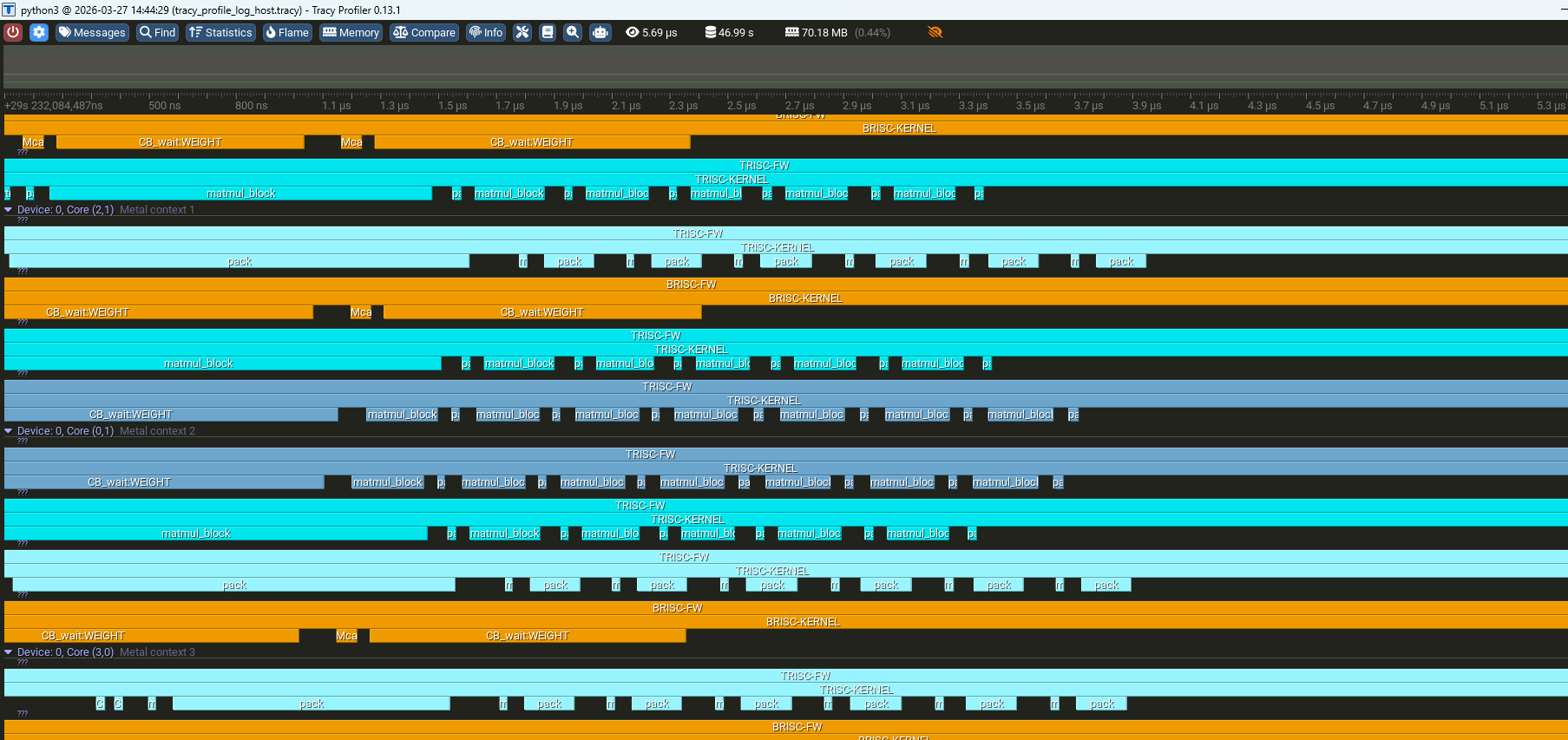
Edit and Add DeviceZoneScopedN in the following files around matmul Operators
ttnn/cpp/ttnn/operations/matmul/device/kernels/compute/bmm_large_block_zm_fused_bias_activation.cpp
-
Include the header and enable logging
#define DEBUG_TRACY_LOG 1
#if DEBUG_TRACY_LOG
#include "tools/profiler/kernel_profiler.hpp"
#endif -
making a zone
void MAIN() {
    ...
    {
#if DEBUG_TRACY_LOG
        DeviceZoneScopedN("matmul_block");
#endif
        for (uint32_t inner_dim_idx = 0; inner_dim_idx < in0_block_w; ++inner_dim_idx) {
            matmul_block(
                in0_cb_id, in1_cb_id, in0_index, in1_index, dst_index,
                in1_transpose_tile, out_subblock_w, out_subblock_h, in0_block_w
            );
            in0_index++;
            in1_index += in1_block_w;
        }
    }
}
- ttnn/cpp/ttnn/operations/matmul/device/kernels/dataflow/reader_bmm_tile_layout_in0_sender_dram_sharded.cpp
- ttnn/cpp/ttnn/operations/matmul/device/kernels/dataflow/reader_bmm_tile_layout_in1_receiver_writer_padding.cpp
- ttnn/cpp/ttnn/operations/matmul/device/kernels/dataflow/reader_bmm_tile_layout_in1_sender_dram_sharded.cpp
Rebuild TT-metal
source python_env/bin/activate && ./build_metal.sh --enable-profiler -b Release
Run one more time
cd /home/bos/simon/tt-metal && \
source env_set.sh && \
PORT=8461 && \
(ss -ltn | grep -q ":$PORT " && echo "port $PORT busy" || echo "port $PORT free") && \
ENABLE_TRACY=1 \
TT_METAL_DEVICE_PROFILER=1 \
TT_METAL_DEVICE_PROFILER_DISPATCH=1 \
TT_METAL_PROFILER_DIR=/your_report_directory/tracy_reports \
python -m tracy -r -p -v -t $PORT \
	models/bos_model/resnet50/run_resnet50.py \
	--data_dir /your_image_directory/imagenet1k-val/imagenet-val2 \
	--trace --cq2 -n 1 -b 2
Install tracy on your environment
In this example, we are using Tracy from the windows laptop
Visit https://github.com/wolfpld/tracy/releases to get the windows installation
Mac users can use brew to install tracy. On your terminal run:
brew uninstall tracy #Remove any old version of tracy
wget -P ~/ --no-check-certificate --no-cache --no-cookies https://raw.githubusercontent.com/tenstorrent-metal/tracy/master/tracy.rb
brew install ~/tracy.rb
rm ~/tracy.rb
Once installed run tracy GUI with:
tracy
Building for Linux users
For Linux users, you need to build the Tracy GUI from source. First, clone the Tracy repository.
git clone https://github.com/tenstorrent/tracy.git
cd tracy/profiler/build/unix
make -j8
A Tracy-release binary will be generated in the current directory after the build completes. You can run it directly from there or copy it to a directory in your PATH for easier access
./Tracy-release
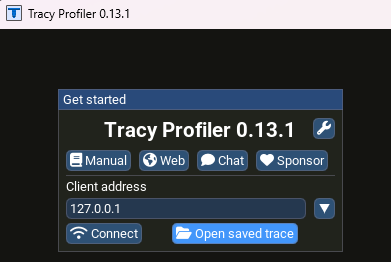
Open the tracy files
Profile the selected operator