SSR
This document explains how to set up, run SSR-net demo on A0 hardware. It includes demo mode, performance benchmarking, and debugging guides.
Contents
-
Enable SSR Environment
-
Pretrained Parameters and Dataset
- 2.1 Model Checkpoints and Embeddings
- 2.2 nuScenes Dataset
-
Demo
- 3.1 Demo Mode - Run demo with realtime visualization
- 3.2 Performance Mode - Benchmark TTNN on nuScenes Dataset
- 3.3 Overriding Default Arguments
Appendices
- A. Suggested Directory Structure
- B. Debugging Modes
1. Enable SSR Environment
Move to tt-metal root directory and run the following command to enable SSR environment.
source env_set.sh ssr
2. Pretrained Parameters and Dataset
Data folder contains 3 main subfolders: ckpts, embeddings, and dataset folders.
ckpts: this folder contains SSR model checkpointsembeddings: this folder contains preprocessed embeddings tensors for SSR.dataset: this folder contains nuScenes dataset and related data packages.
Follow these steps to prepare data for SSR demo.
2.1 Model Checkpoints and Embeddings
- Merge the separated data files a single data file
data.zip. - Unzip the
data.zipfile which contains model checkpoints, embeddings files and pre-generated annotation files for nuScenes dataset (miniversion).
cd $WORKING_DIR
cat data.zip.part-a* > data.zip
unzip data.zip
Structure of data after unzip data.zip:
.
|-- ssr # WORKING_DIR
|   |-- data/
|   |   |-- embeddings/
|   |   |   `-- tensor_dict.pth
|   |   |-- ckpts/
|   |   |   |-- ssr_pt.pth
|   |   |   `-- ssr_tt.pth
|   |   |-- vad_nuscenes_infos_temporal_train.pkl
|   |   |-- vad_nuscenes_infos_temporal_val.pkl
After this step, we finish preparing data/ckpts and data/embeddings folders.
2.2 nuScenes Dataset
In this step, we need to download the nuScenes dataset from original source. To download nuScenes dataset, log in HERE to access nuScenes dataset page. For SSR demo, 3 datasets are required:
-
nuScenes v1.0 dataset
miniversion -
CAN bus expansion data
-
Map expansion data
The datafolder structure is mentioned in Appendix A.
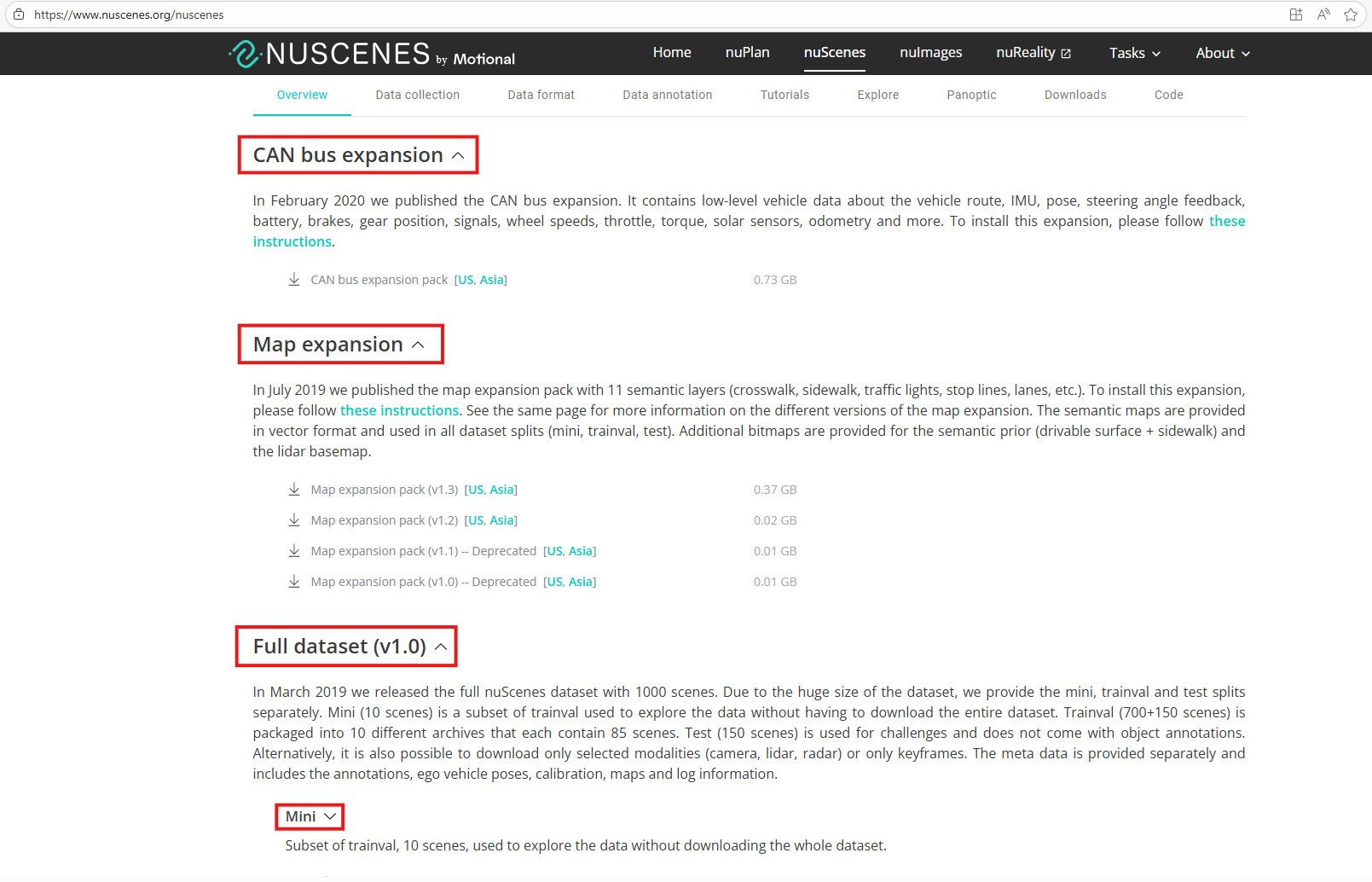
Firstly, download nuScenes v1.0 dataset mini version and CAN bus expansion data to $WORKING_DIR/data/dataset folder.
cd $WORKING_DIR/data && mkdir -p dataset && cd dataset
# Download nuScenes dataset (v1.0) and extract here as nuscenes/
# Download CAN bus expansion data and extract here as can_bus/
Then, move to data/dataset/nuscenes and download map expansion data
cd $WORKING_DIR/data/dataset/nuscenes
# Download nuScenes-map-expansion-v1.3.zip and extract here as maps/
Custom annotations files are provided in data.zip already.
- Train:
data/vad_nuscenes_infos_temporal_train.pkl - Validation:
data/vad_nuscenes_infos_temporal_val.pkl
To make it align with the data structure, we need to move it to data/dataset/nuscenes folder:
cd $WORKING_DIR
mv data/vad_nuscenes_infos_temporal_train.pkl data/dataset/nuscenes
mv data/vad_nuscenes_infos_temporal_val.pkl data/dataset/nuscenes
NOTE: these pre-generated files are only for
miniversion of nuScenes dataset.
Final data folder is structured as below:
.
|-- ssr # WORKING_DIR
|   |-- data/
|   |   |-- embeddings/
|   |   |   `-- tensor_dict.pth
|   |   |-- ckpts/
|   |   |   |-- ssr_pt.pth
|   |   |   `-- ssr_tt.pth
|   |   `-- dataset/
|   |       |-- can_bus/
|   |       `-- nuscenes/
|   |           |-- maps/
|   |           |-- samples/
|   |           |-- sweeps/
|   |           |-- v1.0-mini/
|   |           |-- v1.0-test/
|   |           |-- v1.0-trainval/
|   |           |-- vad_nuscenes_infos_temporal_train.pkl
|   |           `-- vad_nuscenes_infos_temporal_val.pkl
Finally, create data symlinks to ssr/tt and ssr/reference folders.
# Create symlink
ln -s $WORKING_DIR/data/dataset $WORKING_DIR/tt/data
ln -s $WORKING_DIR/data/dataset $WORKING_DIR/reference/data
3. Demo
Main script: $WORKING_DIR/scripts/run_ssr_demo.sh
3.1 Demo Mode - Run demo with realtime visualization
This mode runs the end-to-end SSR-Net with real-time visualization. It will continue running indefinitely until interrupted by the user (Ctrl+C).
bash $WORKING_DIR/scripts/run_ssr_demo.sh demo
If you want to include BEV map in visualization output, add --bev-map option.
bash $WORKING_DIR/scripts/run_ssr_demo.sh demo --bev-map
Note: BEV map is not supported by SSR-net itself, the BEV map displayed on the screen is retrieved from dataset.
3.2 Performance Mode - Benchmark TTNN on nuScenes Dataset
This mode runs end-2-end SSR-net without visualization.
bash $WORKING_DIR/scripts/run_ssr_demo.sh performance
3.3 Overriding Default Arguments
| Argument | Description | Default |
|---|---|---|
--config | Path to SSR-net config file | projects/configs/SSR_e2e.py |
--checkpoint | Path to model checkpoint file | functional/performance: $WORKING_DIR/data/ckpts/ssr_tt.pth ; cpu: $WORKING_DIR/data/ckpts/ssr_pt.pth |
--embeddings | Path to embeddings file | $WORKING_DIR/data/embeddings/tensor_dict.pth |
--launcher | Launch mode for distributed training/inference | none |
--eval | Evaluation metric | bbox |
--patch | Path to patch file (functional only) | $WORKING_DIR/data/dataset/patch.pt |
--visualize | Enable visualization during inference | False |
--repeat | Repeat inference loop | False |
--realtime | Display visualization in real time (requires --visualize). If not set, the output video is saved to generated/video | False |
--bev_map | Include BEV (Bird's-Eye View) map in visualization (requires --visualize) | False |
Example:
bash $WORKING_DIR/scripts/run_ssr_demo.sh functional \
        --config projects/configs/custom_ssr.py \
        --checkpoint ckpts/custom_ssr.pth \
        --patch patches/patch_v2.pt \
        --visualize --realtime --bev_map
Appendices
A. Suggested Directory Structure
.
|-- ssr # WORKING_DIR
|   |-- generated/
|   |-- data/
|   |   |-- embeddings/
|   |   |   `-- tensor_dict.pth
|   |   |-- ckpts/
|   |   |   |-- ssr_pt.pth
|   |   |   `-- ssr_tt.pth
|   |   `-- dataset/
|   |       |-- can_bus/
|   |       `-- nuscenes/
|   |           |-- maps/
|   |           |-- samples/
|   |           |-- sweeps/
|   |           |-- v1.0-mini/
|   |           |-- v1.0-test/
|   |           |-- v1.0-trainval/
|   |           |-- vad_nuscenes_infos_temporal_train.pkl
|   |           `-- vad_nuscenes_infos_temporal_val.pkl
|   |-- reference/
|   |-- tt/
|   |   |-- data@/ -> $WORKING_DIR/data/dataset
|   |   |-- projects/
|   |   |   |-- configs/
|   |   |   `-- mmdet3d_plugin/
|   |   |       |-- SSR/
|   |   |       |   |-- SSR.py
|   |   |       |   |-- SSR_head.py
|   |   |       |   |-- SSR_transformer.py
|   |   |       |   |-- TokenLearner.py
|   |   |       |   |-- modules/
|   |   |       |   |-- planner/
|   |   |       |   `-- utils/
|   |   |-- core/
|   |   |`-- dataset/
|   |   |-- run.py
|   |   `-- pipeline.py
|   |-- test/
|   |-- scripts/
|   |   `-- run_ssr_demo.sh*
|   |-- third_party/
|   |-- requirements.txt
|   `-- README.md
...
B. Debugging Modes
Functional Mode - Validate Output (TTNN vs PyTorch Reference)
bash $WORKING_DIR/scripts/run_ssr_demo.sh functional
C. Tracy profiling
E2E profiling - visualize A0 device side
python -m tracy -r -p -v -m pytest models/bos_model/ssr/test/test_pcc/test_runner.py
E2E profiling - TTNN-Visualizer
- Export environment variables using the script file. The
experiment_namecan be anything, for examplessr-e2e.
export EXPERIMENT_NAME=experiment_name
source models/bos_model/export_l1_vis.sh $EXPERIMENT_NAME
- Run model
pytest models/bos_model/ssr/test/test_pcc/test_runner.py
If the model has finished running successfully, the result report will be generated in the following path (generated/ttnn/reports/$EXPERIMENT_NAME_MMDD_hhmm/)
- Third, run ttnn-visualizer and see results
ttnn-visualizer --profiler-path $REPORT_PATH
The report_path is the path mentioned in the previous step. Visit http://localhost:8000/ using your web browser.
If the experiment has finished, please run the following command to clear the environment variables
source models/bos_model/unset_l1_vis.sh
D. CPU Mode - Run PyTorch Baseline
bash $WORKING_DIR/scripts/run_ssr_demo.sh cpu